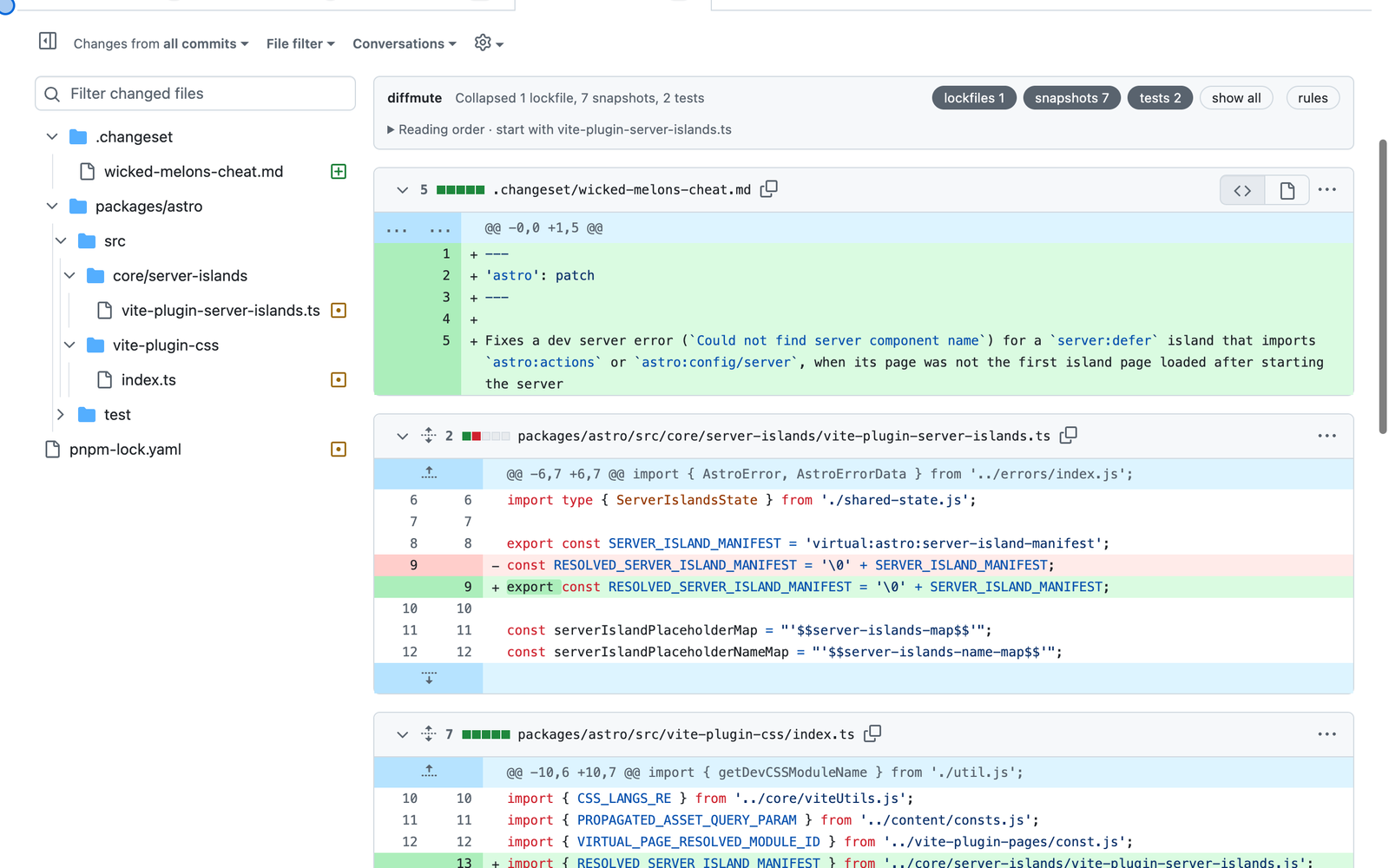
Most of the pull requests I review have more noise in them than code. A two line fix comes with a regenerated lockfile, a folder of test fixtures and a handful of snapshots, and GitHub shows all of it at the same size as the change I actually need to read.
So I built diffmute, a browser extension that collapses that noise as the diff loads. It's open source, it runs in Firefox and Chrome, and it took an evening to get the first version working.
Here is a real pull request from the Astro repo, #18399. It changes 12 files. Two of them are the fix. The rest are a changeset, a lockfile, test fixtures and a test.
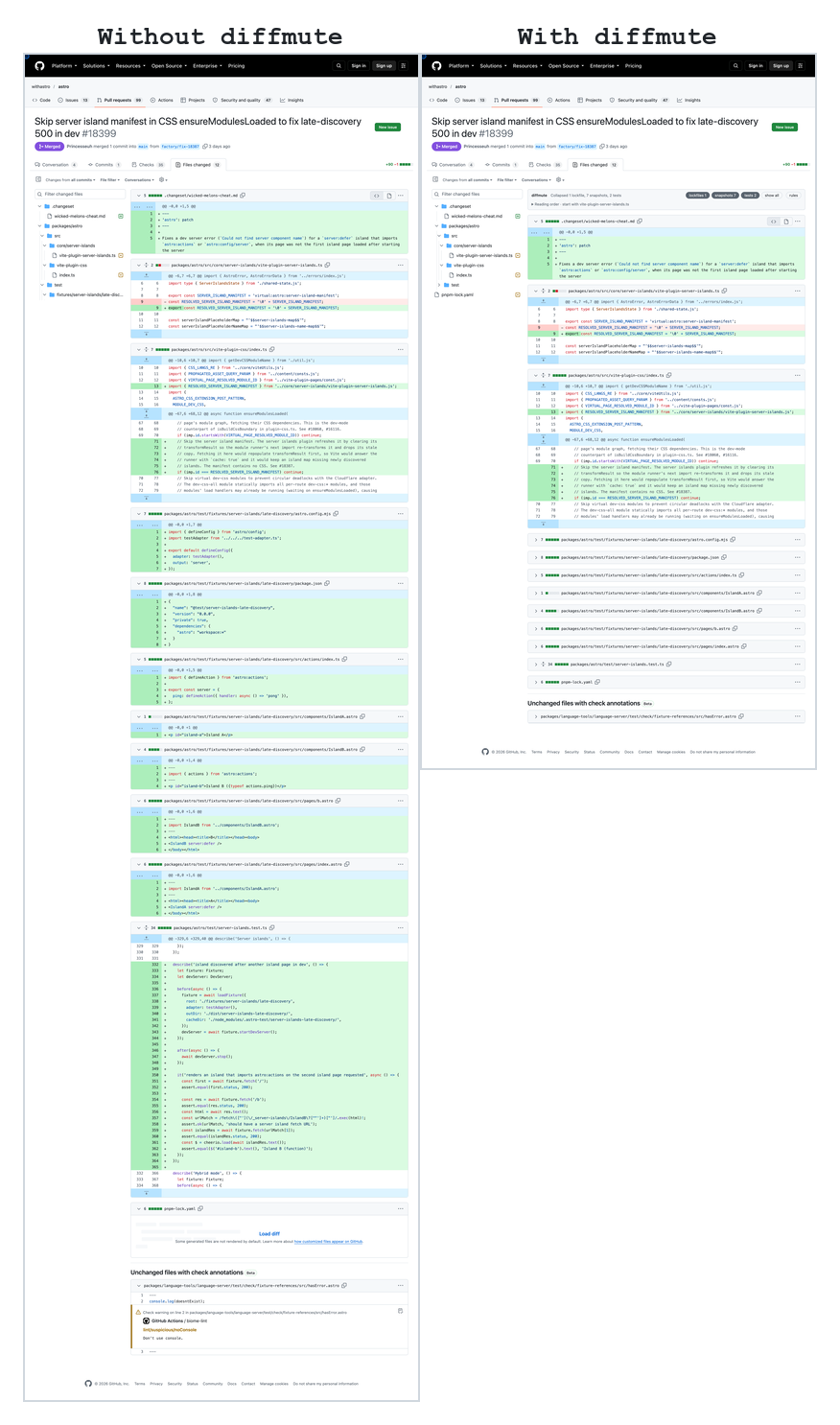
What it does
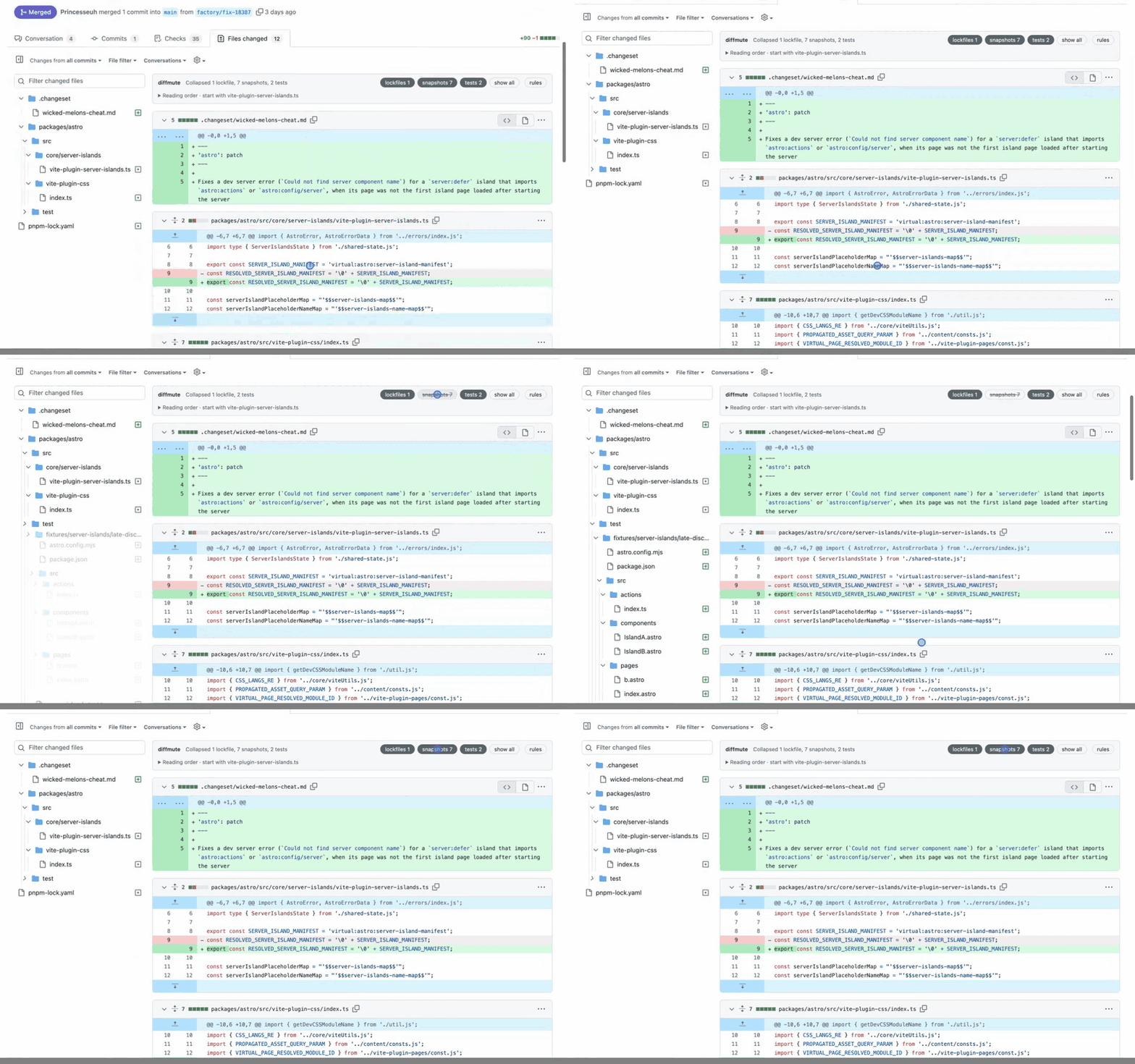
When a pull request's "Files changed" tab loads, diffmute sorts every file into a category and collapses the noisy ones. A bar at the top of the diff says what it collapsed, "Collapsed 1 lockfile, 7 snapshots, 2 tests", with a chip for each category. Click a chip and those files come back. Click it again and they go away. The choice is saved per pull request.
The bar mattered most to me. I'd only trust an extension that hides files if it tells me exactly what it hid.
Starting with a plan
Before writing any code I wrote down what I wanted and the order to build it in:
- A bare extension that logs file paths on a pull request page, to check the selectors and how lazy loading behaves.
- A hard-coded lockfile rule, collapse only.
- Glob rules, plus the bar with a toggle per category.
- An options page, saved with
storage.sync. - Per-repo overrides and a "hide" mode.
Two decisions came out of that list. First, collapse by default rather than hide. A collapsed file still shows its name, so you know it changed. Hiding removes it from the diff and the file tree, which is sometimes what you want for lockfiles, so it's an option per category. Second, rules are plain glob patterns with a sensible default set, because one repo's test/ folder is another repo's product code.
I built it with Claude Code over an evening, one step of that list at a time, loading each build into Firefox to check it on real pull requests.
Working with GitHub's diff page
GitHub's pull request page is a React app that changes often, so most of the work was finding parts of it that don't.
File ids, not class names. GitHub gives each file in the diff the id diff- followed by the SHA-256 of its path. That's stable, so diffmute hashes each path from the file tree and tracks files by that id. It never relies on GitHub's class names.
Clicking GitHub's own toggle. To collapse a file, diffmute clicks GitHub's collapse button instead of hiding the element itself. That way GitHub knows the file is collapsed, and if you expand it with GitHub's toggle it stays expanded, even when GitHub unloads and reloads it as you scroll.
Diffs that load late. Large pull requests load their diffs as you scroll, and GitHub switches between tabs without a full page load. A MutationObserver picks up new files as they arrive, and the content script is loaded on all of github.com so it's already there when you click into "Files changed". The counts in the bar include files that haven't loaded yet, matched by path from the file tree.
A tree that ignores clicks. Folders in the sidebar whose files are all muted, like __tests__/, are closed too. This broke in a way that took a while to see: on a fresh page load, GitHub's file tree ignores clicks until its own script has loaded, so the first attempt to close a folder did nothing and diffmute recorded it as done. The fix was to only record a folder once it had actually changed, and let the next scan retry it.
The second round
With the noise gone, the slowest parts of a review were working out where to start and remembering what I'd already read. So I wrote a second list:
- Collapse files that are deleted, renamed without changes, or only change whitespace. GitHub exposes all three in the page, and no glob pattern can catch them.
- Show a reading order: types and schema first, then logic, then UI, then tests and config.
- Remember what I'd read, and on a second visit collapse files that haven't changed since.
- One key to mark a file viewed and jump to the next one that still needs review.
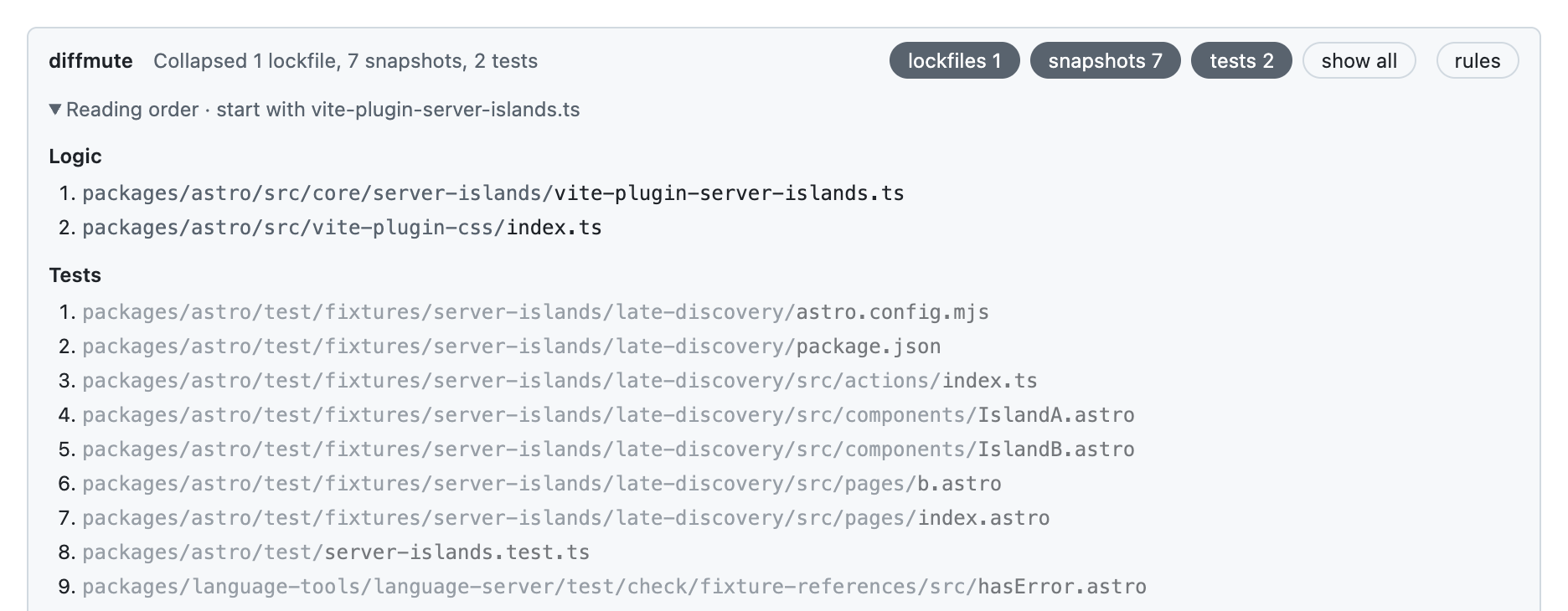
The reading order sits under the bar. It guesses from paths and file extensions, which gets most pull requests right. When it doesn't, the author can add a "Review order" heading to the pull request description with a list of paths, folders or globs, and those files go to the top.
A file counts as read once it has been on screen for a second, or you mark it viewed. When you come back to the pull request after new commits, files you've already read that haven't changed are collapsed as "unchanged", and new or changed files get a badge.
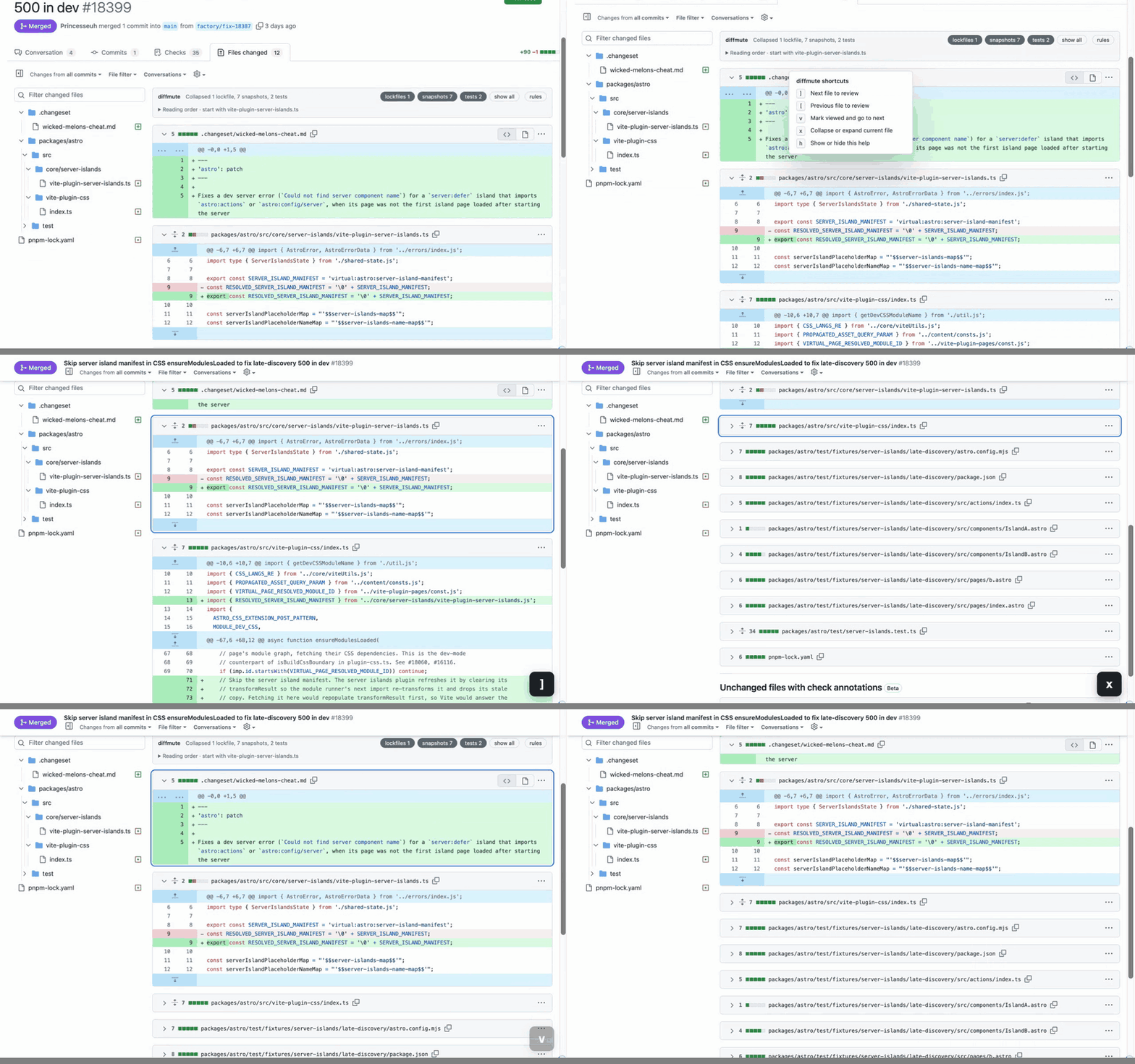
With the keyboard you can review in one pass down the page. ] and [ go to the next or previous file that still needs review, v marks the current file viewed and moves on, x collapses or expands it, and h shows the list.
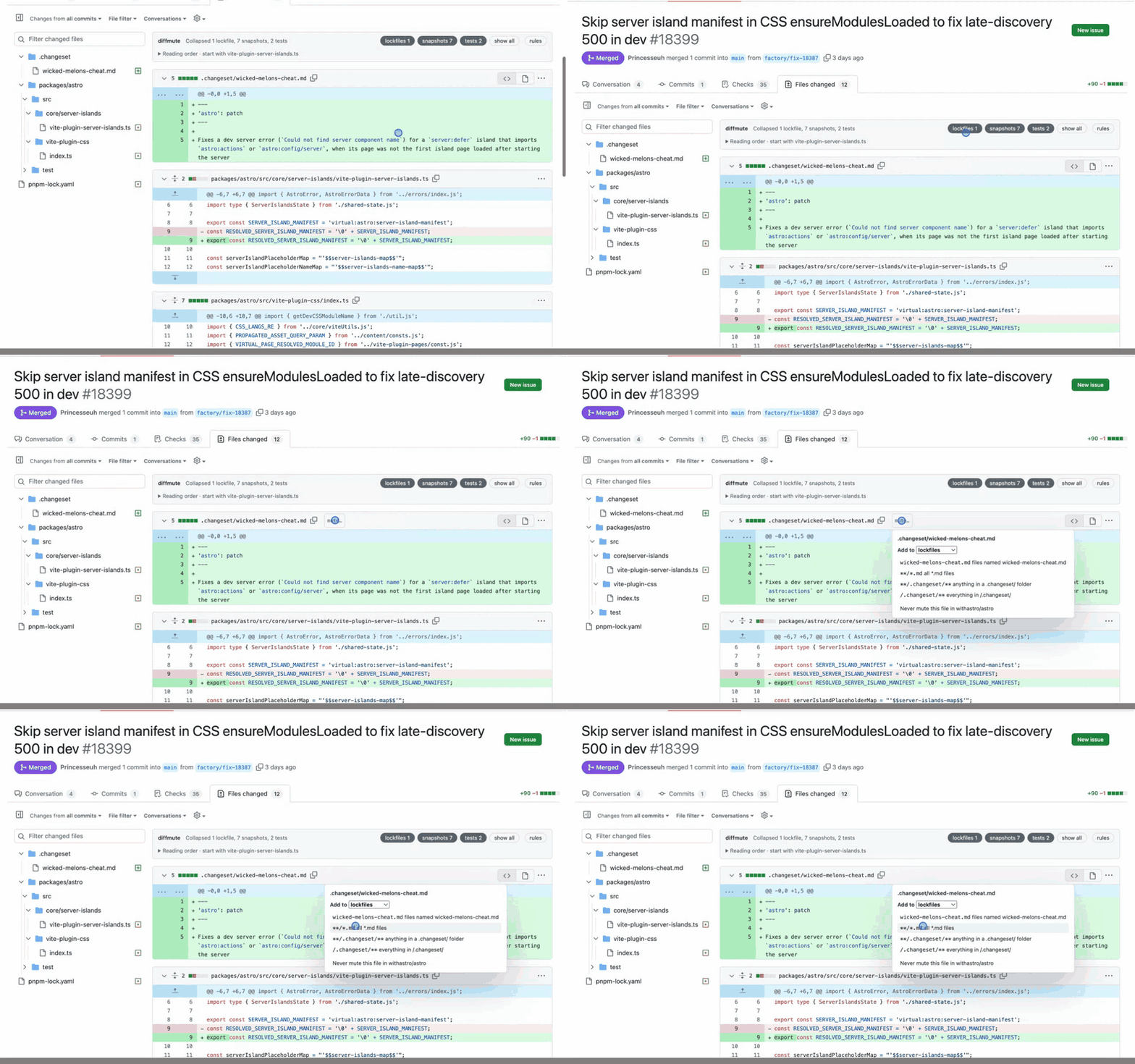
Muting from the diff
When I spot a generated file the defaults missed, I don't want to leave the review to edit glob patterns. So every file header has a "mute…" button. It suggests patterns for that file name, its extension and its folder, and lets you pick which category to add it to, or add it to the repo's never-mute list instead.
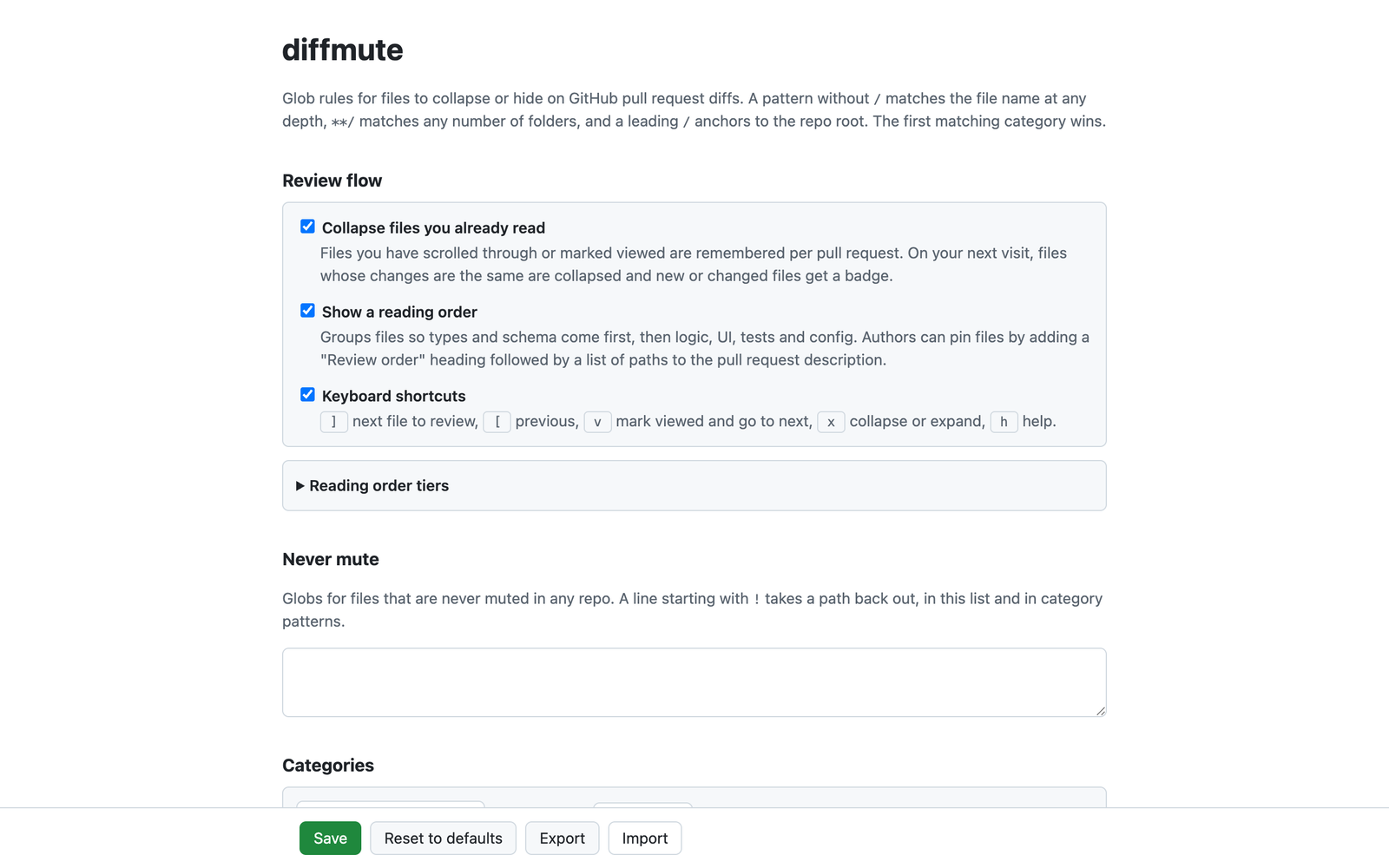
The full rules live on the options page, along with switches for the review features. Config can be exported and imported as JSON, and each repo can have its own settings.
One constraint shaped how the config is saved. storage.sync allows 8 KB per item, and one item holding every category and its patterns could go over that. So each category is saved under its own key. Per pull request state, like which categories you've shown and which files you've read, goes in storage.local and keeps the 300 most recent pull requests.
Getting it into Firefox
I use Firefox, and release Firefox only installs signed extensions. You can load an unsigned one from about:debugging, but it disappears when Firefox restarts.
Signing is free if you don't list the extension on addons.mozilla.org. web-ext sign --channel unlisted uploads the build, waits for Mozilla's automatic review and downloads a signed .xpi. Usually that's quick. Once it sat on "Waiting for approval..." long enough that I went and did something else.
The other catch was versions. Mozilla rejects a build with a version it has already signed, and Firefox won't treat a reinstall of the same version as an update. So every signed build gets a new fourth version number, stamped by the build script. npm run install:firefox signs a build and opens it in Firefox in one step.
Chrome is easier. npm run build:chrome writes an unpacked build you can load from chrome://extensions with Developer mode on. Both browsers run the same code; the Chrome build swaps the background script for a service worker.
FAQs
What does diffmute collapse by default?
Lockfiles, tests, snapshots, generated code, deleted files, files renamed without changes and files where only whitespace changed. Docs and translations have categories too, but they're off by default.
Does it hide files without telling me?
No. Collapsed files keep their name in the diff, and the bar at the top counts every file in each category. Hiding a category completely is an option you turn on per category.
Can I change what counts as noise?
Yes. Each category is a list of glob patterns on the options page, and each repo can have its own settings and its own never-mute list. You can also add a pattern from the "mute…" button on any file header.
Does it work in Chrome?
Yes. Firefox and Chrome run the same code. For Chrome, run npm run build:chrome and load the dist-chrome/ folder from chrome://extensions with Developer mode on.
Is it on addons.mozilla.org?
No. It's signed as an unlisted extension, so you sign and install it yourself with npm run install:firefox. The readme has the steps.